My Rust Server | ScalaCube
198.244.179.144:4658Down, checked 28d agoMonitored since 26 Oct 2026
Health checks
from the latest readings- ReachableOn the Steam server list, checked 28d agoFailing
- Capacity0% of 20 slots in usePassing
- Queuenobody waitingPassing
- Performancehas not answered a direct queryNo data
- Fresh mapwiped 28d agoPassing
- Next wipetoo few wipes seen yetNo data
Activity
players each hour, last 48No hourly history yet.
- Group limit
- 8, the default
- Wipe schedule
- not published
- Map
- Procedural Map · 4000
Similar servers
The same kind of game, then region, group limit, rate and wipes.
- 1МИНИ-КАРТА 2Х | STORM | FPS+ 21.11EU · groups of 8+ · weekly · 128 on average7 / 100
- 2ShockRust | Blue | NoLimitno group limit · 105 on average146 / 400
- 3RETRO RUST #1 Х1000|NOLIMIT|LOOT++|KIT WIPE 24.11EU · groups of 16+ · weekly · 93 on average149 / 225
- 4404 RUST 2Х|ДЛЯ НОВИЧКОВ|СИБИРСКИЙ 24.11EU · groups of 16+ · monthly · 80 on average228 / 700
- 5404 RUST 2Х|ДЛЯ НОВИЧКОВ|РУССКИЙ 21.11EU · groups of 16+ · monthly · 62 on average40 / 1000
- 6ShockRust | Green | MAX 4no group limit · 61 on average65 / 250
Players
Every five minutes, from the Steam server list.
Hourly average and peak, UTC.
Daily average and peak, UTC.
Rank
daily · 1 is bestTop 70% of all ranked servers. Ranked on player hours over the last seven days.
Performance
48 hours: hourly readings. 30 to 90 days: a point a day, measured since 26 Oct. Low fps and a climbing entity count mean lag.
Wipe calendar
2 days with a wipe in the last 16 weeksNot enough wipes seen yet to tell. Every server wipes at the monthly force wipe.
- wipe-day peak
- 0 players, last three wipes
The first 48 hours of its last wipes
-
5 Nov
Thu 19:00 UTC · force wipe – on before · running
-
26 Oct
Mon 19:54 UTC peak 0
- Address
- 198.244.179.144:4658
- Region
- –
- Max players
- 20
- Group limit
- 8, the default
- Wipe schedule
- –
- Last wipe
- 26 Oct 2026, 19:54 UTC
- Hostname
- –
- First seen
- 26 Oct 2026
Server tags
What each tag it publishes means. Published as mp20,ptrak,$r?,v2635,gmrust,cs168909,ts8,^o^z.
gmrustGame mode Survival in the standard Rust style.mp20Max players The slot count is 20.ts8Group limit Teams are capped at 8, which is the game default.v2635Protocol To join, your game needs to run protocol 2635.cs168909Build Build: 168909.ptrakNetworking RakNet is the network layer, as standard for the game.$r?Region code No region code is set.^oOxide A plugin framework, Oxide (uMod), is in use.^zModded This server is listed as Modded, with plugins or settings that change the game.Flag meanings are Facepunch's.
Player count
What is the rank of My Rust Server | ScalaCube?
The seven-day player hours rank for My Rust Server | ScalaCube is #15,719, in the top 70% of ranked servers.
What is the population of My Rust Server | ScalaCube?
The server My Rust Server | ScalaCube is offline at the moment, with its last sighting 28 days 17 hours ago.
Map and rules
Which map is active on My Rust Server | ScalaCube?
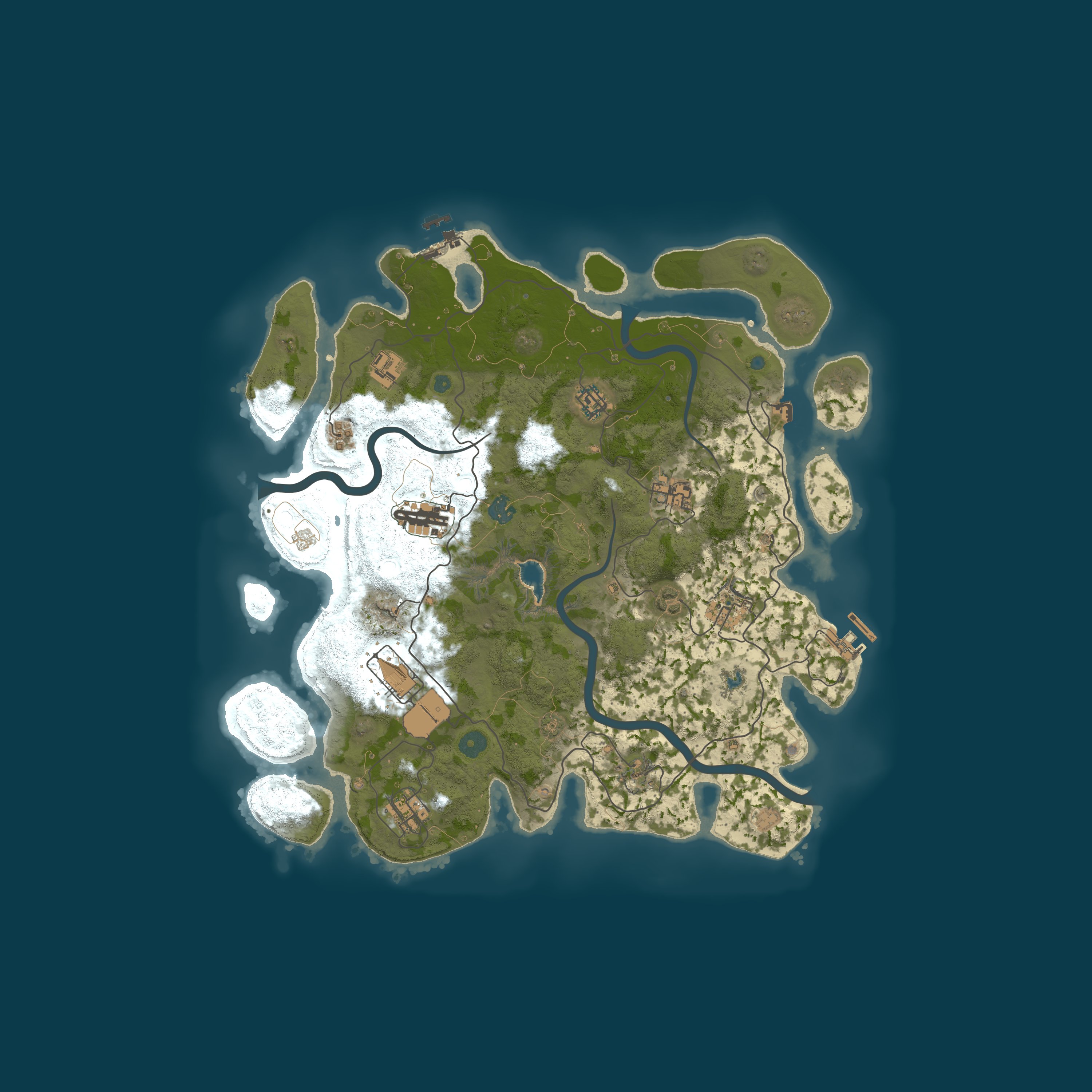
The map on My Rust Server | ScalaCube is procedural, size 4,000 with seed 12345, created by the game. View it on RustMaps from here: identical size and seed yield the same map.
What settings and rules apply on My Rust Server | ScalaCube?
The name of My Rust Server | ScalaCube carries no gather rate. Group size follows the game default of 8 players. It runs survival, gather, build and raid: the standard game. Combat between players is allowed, and bases can be raided. The server browser lists it as Modded: plugins or settings change gameplay. The plugins it uses are Oxide. VAC by Valve is on.
Wipe information
What can you expect from wipe day on My Rust Server | ScalaCube?
On average, the peak across recent wipes was 0 players. The crowd on the latest wipe peaked 0 hours in.
When does My Rust Server | ScalaCube wipe?
Too few wipes from My Rust Server | ScalaCube are recorded to reveal a rhythm. Each month brings a force wipe for all Rust servers. It falls next on Thursday 3 December at 19:00 UTC. It has been 28 days 18 hours since the current world was made.
Tags and filters
What is the meaning of the tags on My Rust Server | ScalaCube?
gmrust (Game mode): Survival in the standard Rust style; mp20 (Max players): The slot count is 20; ts8 (Group limit): Teams are capped at 8, which is the game default; v2635 (Protocol): To join, your game needs to run protocol 2635; cs168909 (Build): Build: 168909; ptrak (Networking): RakNet is the network layer, as standard for the game; $r? (Region code): No region code is set; ^o (Oxide): A plugin framework, Oxide (uMod), is in use; ^z (Modded): This server is listed as Modded, with plugins or settings that change the game are the tags My Rust Server | ScalaCube publishes; the game's server browser reads them. At the top of this page you will find its current players, its queue and the making of its world, all from the tags.
Where does My Rust Server | ScalaCube appear in Best Rust Servers lists and filters?
The Best Rust Servers lists that My Rust Server | ScalaCube fits are: Best modded Rust servers. You will find it on the server list under: Type: Modded; Server tag: Modded ^z and Oxide ^o; Group limit: 5 or more.
Server details
What is the Rust version on My Rust Server | ScalaCube?
Rust network protocol 2635 and build 168909 on Linux is what My Rust Server | ScalaCube runs. To join, your game must use the same protocol; Steam handles the update for you.
Where can My Rust Server | ScalaCube be found?
No region is published by My Rust Server | ScalaCube. The location a server claims is what Best Rust Servers shows, not the machine's actual location. You can reach it at 198.244.179.144:4658.
What is the uptime and reliability of My Rust Server | ScalaCube?
The server My Rust Server | ScalaCube is currently offline, with its last appearance 28 days 17 hours ago. In the last 7 full days, 0 of 168 hours were online, an uptime of 0%. Its earliest observation by Best Rust Servers was on 26 October 2026.
Join the server
What are the steps to join My Rust Server | ScalaCube?
Use Launch Rust on this page to open Rust through Steam and connect, or press F1 in Rust and enter client.connect 198.244.179.144:4658 in the console.